An all-in-one event catering platform
From first enquiry to final invoice, in one place.
Event Wizard brings sales, planning, costing, kitchen, staffing, ordering and invoicing together, so your team works from the same plan and you know your profit before you commit.
Built by hospitality experts, for hospitality experts.
Wedding
#28
Dr Amelia Hart
Rosewood Manor, Thursday 15 October 2026
- Enquiry
- Provisional
- Booked
- Guests
- 120 day, 45 evening
- Timings
- 19:00 arrival and drinks, 19:30 seated
- Costing
- Wedding package, margin checked
- Proposal
- Signed by the client
- Kitchen
- Shopping list and allergen matrix ready
Follow one event from enquiry to invoice
Seven steps, one record. Nothing is re-keyed along the way, and every team sees the plan as it stands right now.
Enquiry
Status: Enquiry
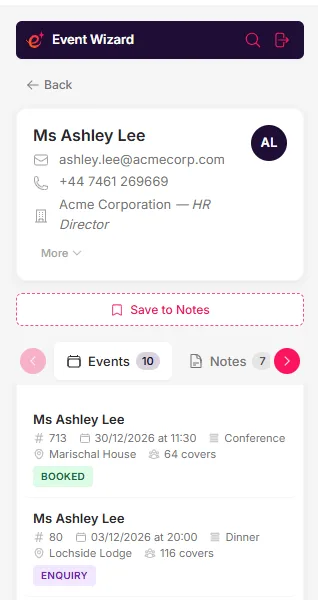
Every enquiry lands in the same place
A phone call or an email becomes an event with a client, a venue and a date, and it is in the diary for the whole team straight away.
- Capture contacts, notes and tasks from Outlook without leaving your inbox.
- See the diary by month, week, list, or room and resource.
- Every contact keeps its history of events, notes and correspondence.
- Task templates add the right follow-ups as the event moves through your pipeline.
Costing
Status: Provisional
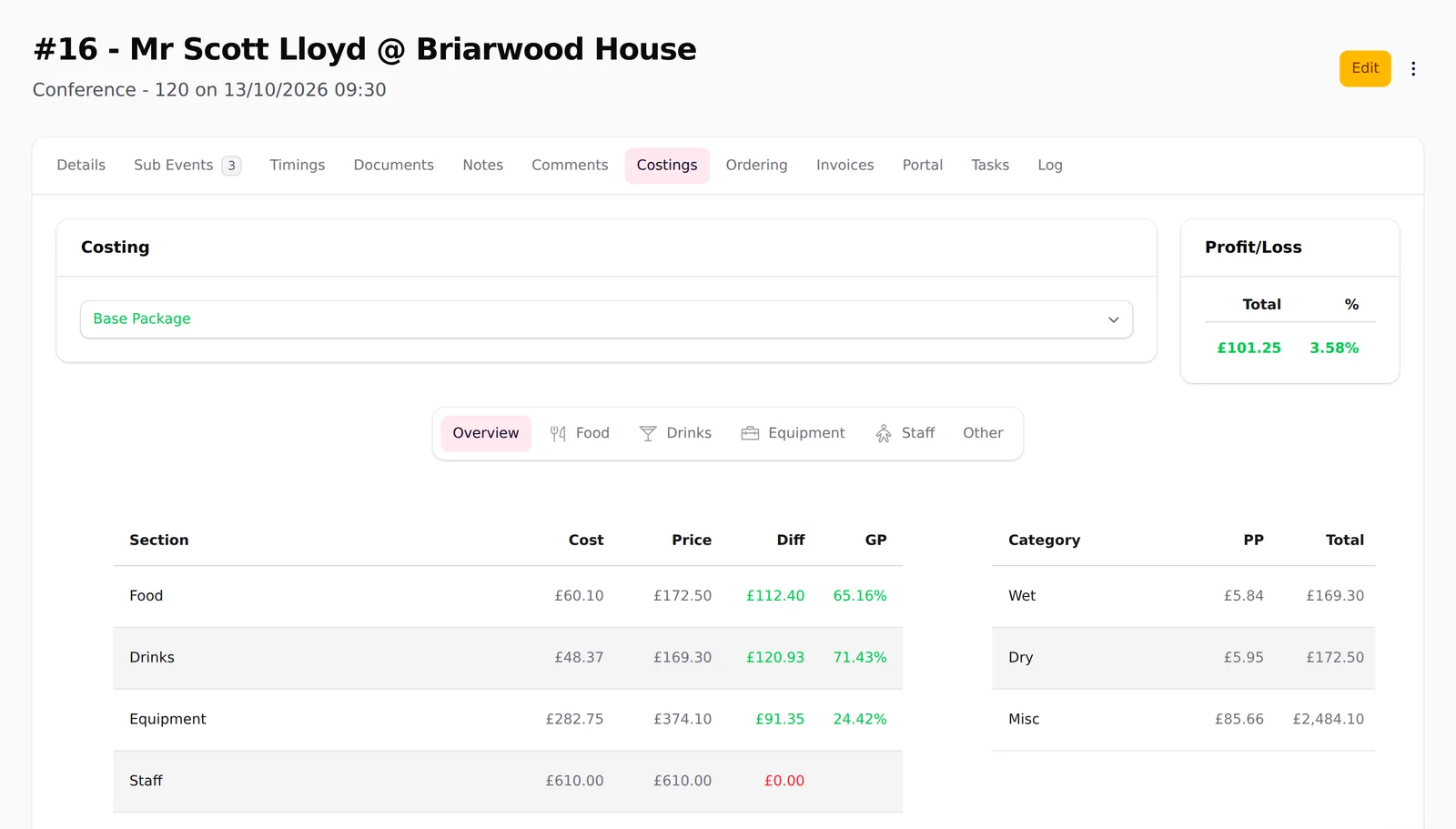
Know your profit before you commit
Start from a costing template for the event type and venue, adjust it for this client, and watch the gross profit and margin change as you go.
- Reusable templates by event type and venue, so a quote takes minutes.
- Several costing scenarios for the same event, side by side.
- Food costed from ingredients, drinks from stock, staff from their rates.
- Upgrades and extras priced in, so upselling is part of the quote.
Proposal
Status: Booked once signed
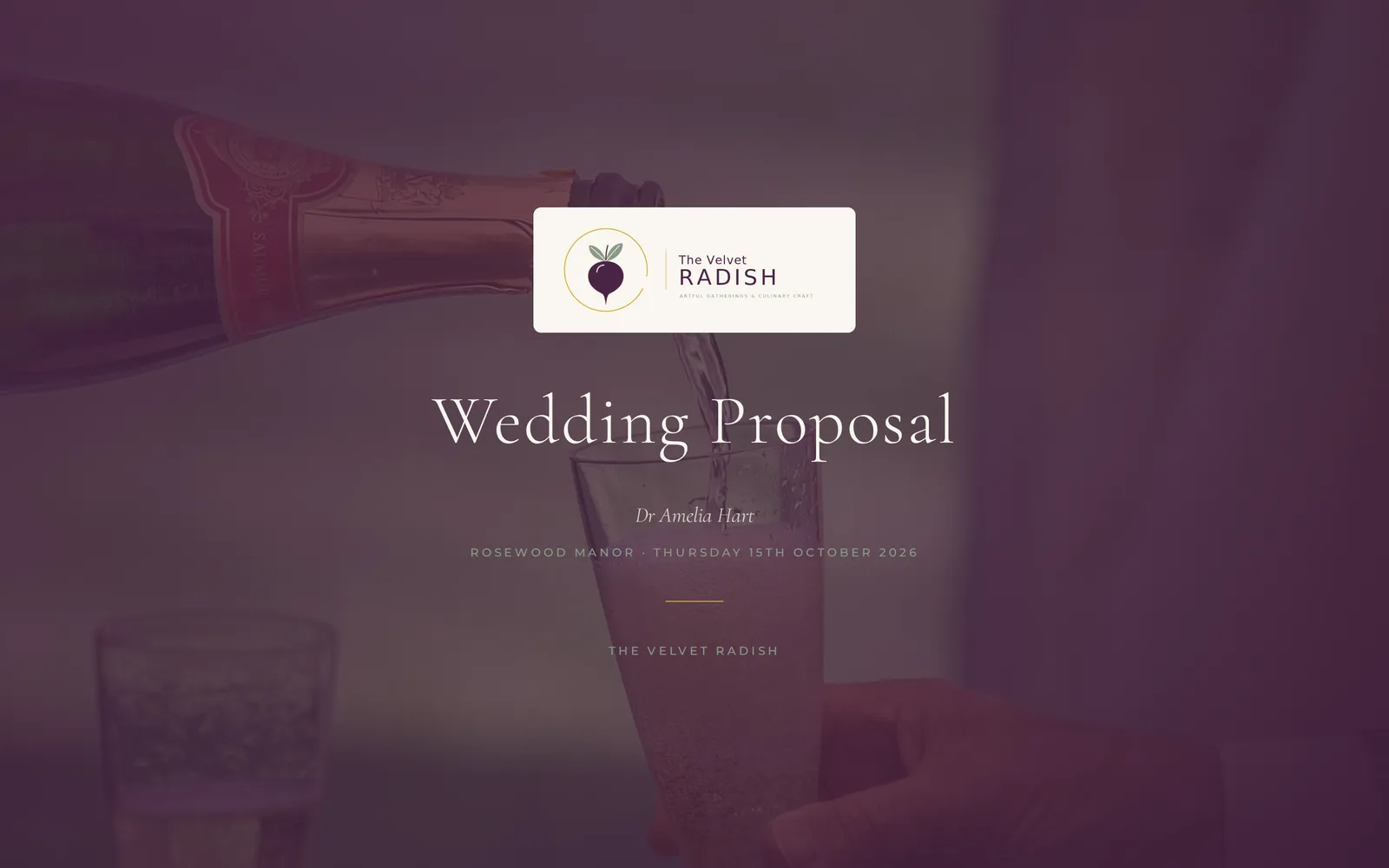
A proposal in your colours, signed in the browser
Build the proposal from ready-made sections, pick one of three designs and send a link. Guest numbers, venue and date fill themselves in and stay current until the moment you send.
- Twelve section types, from cover and menu to pricing, gallery and schedule.
- Your logo, colours and photography, drawn from one media library.
- Clients sign on the proposal or an uploaded PDF, typed or drawn, with no account to create.
- Sent documents are locked, and the signed PDF comes back with its own audit trail.
Planning
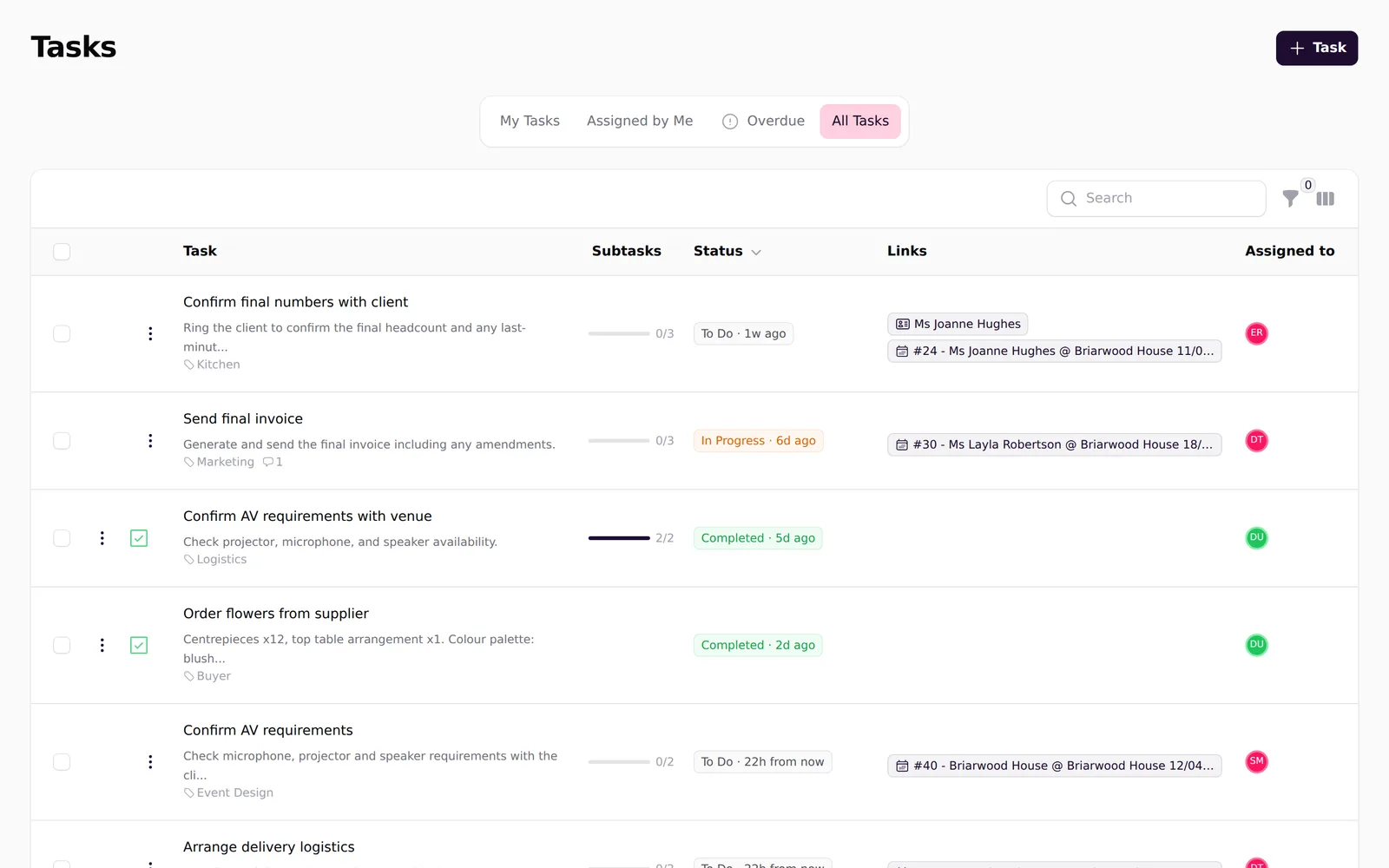
The office, the kitchen and the site see the same plan
Once the event is booked, everyone works from one live record. Change the numbers in the office and the kitchen sees it the moment it is saved.
- Tasks with owners, subtasks and due dates, tracked per person.
- Comments and @mentions on the event, not another email thread.
- Timings, staffing and room bookings kept with the event.
- Works on a laptop in the office or a phone on site.
Kitchen and orders
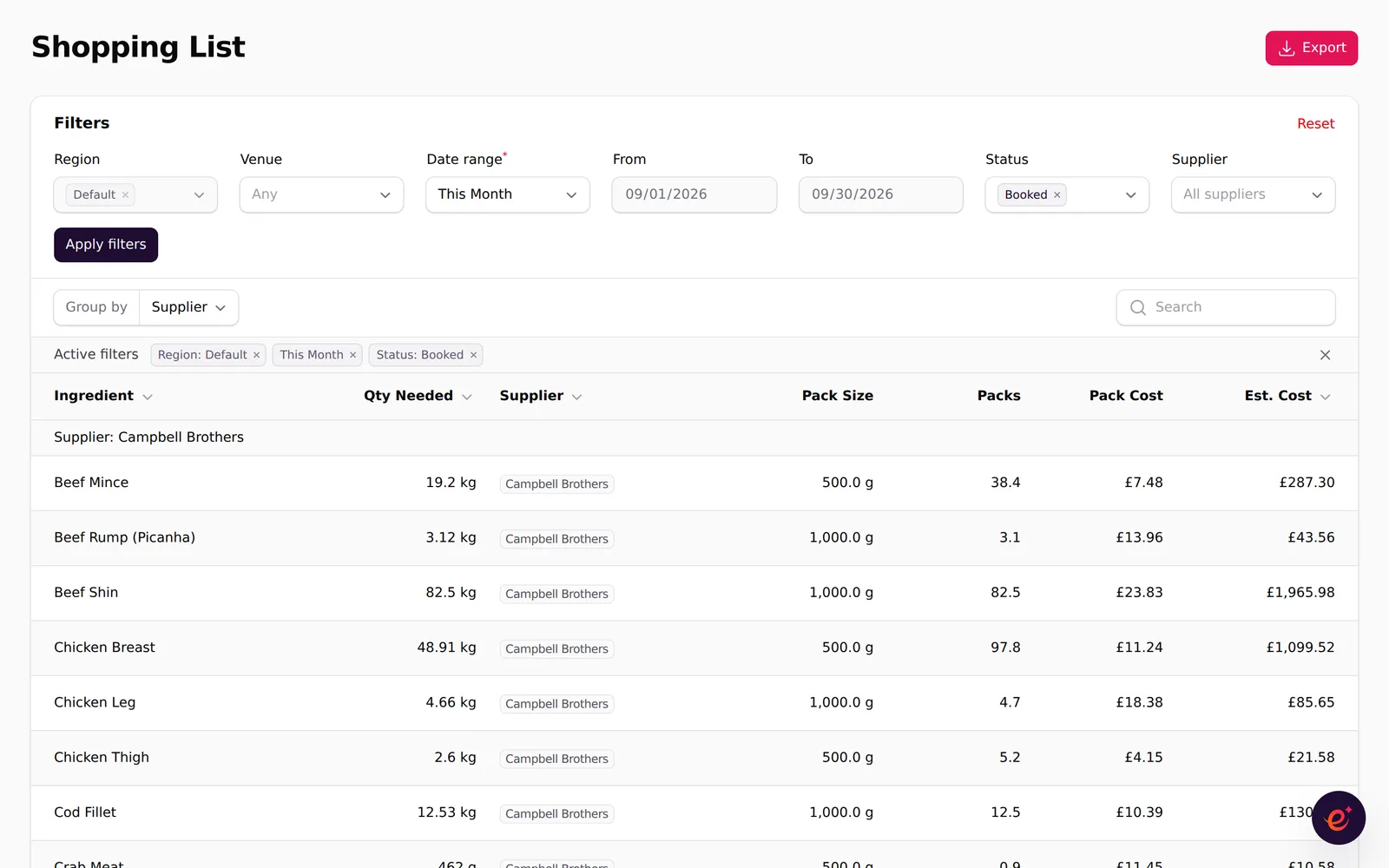
Shopping lists that write themselves
Menus and covers become quantities. Event Wizard adds up every booked event by supplier and pack size, ready to order or export to Excel.
- Kitchen specifications and allergen matrices, ready to print.
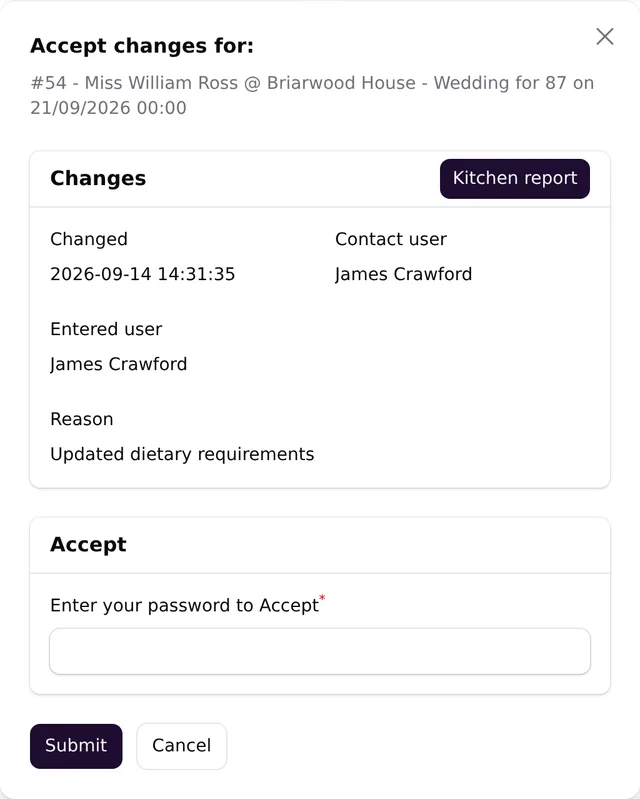
- Late changes to numbers or dietary needs wait for the kitchen to accept them.
- Drinks and equipment ordered from your suppliers, with confirmations tracked.
- One order dashboard for what is pending, sent and delivered.
Client portal
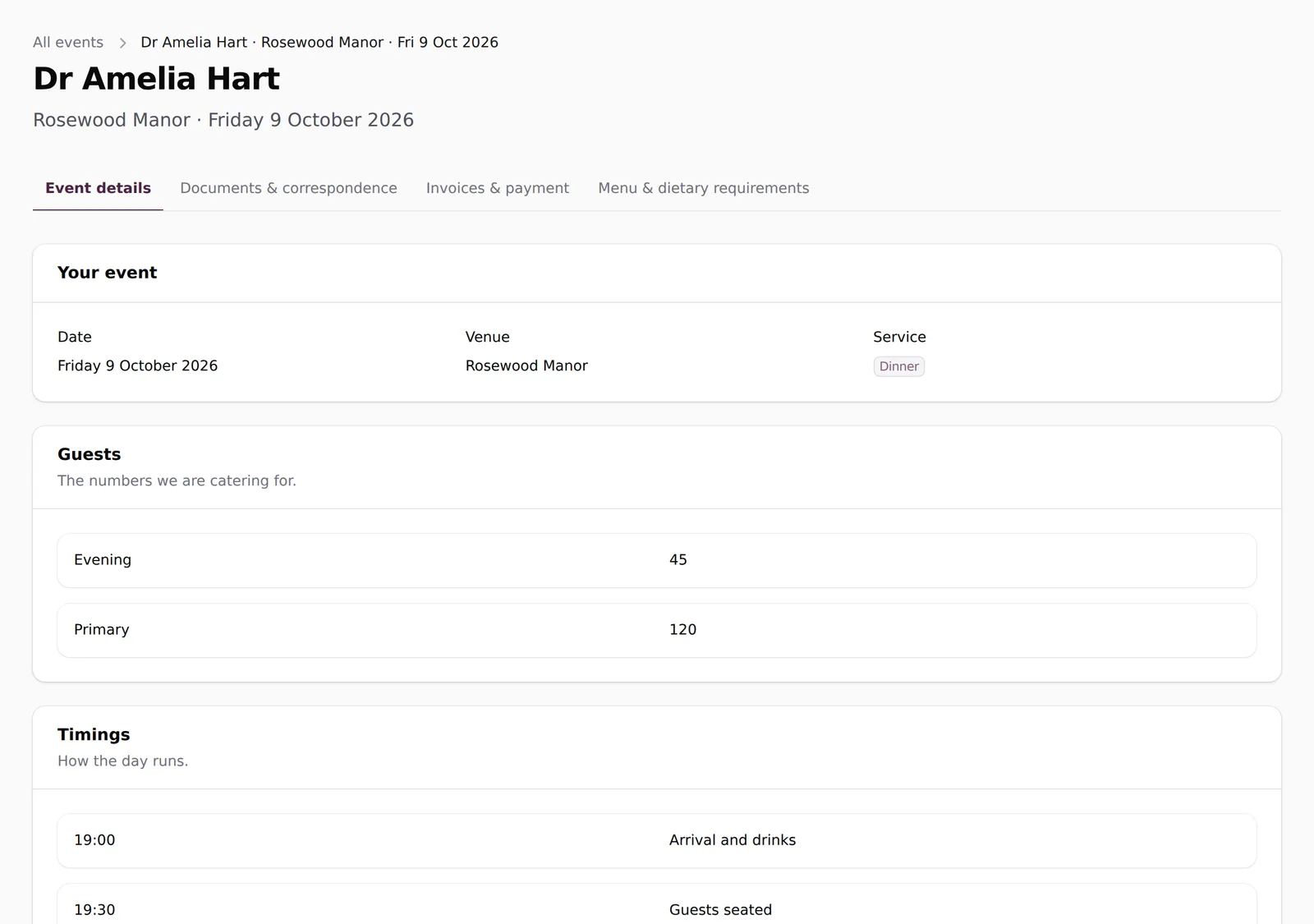
Your client always has the current version
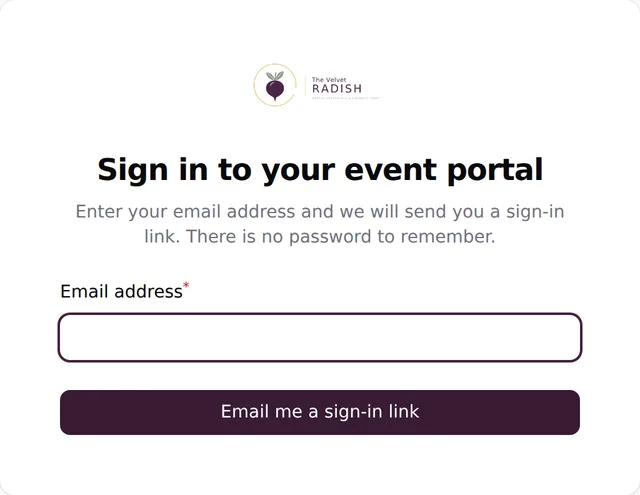
Share an event and your client gets a portal in your branding. They sign in with a link sent by email, so there is no account to create and no password to forget.
- You choose what they see: event details, documents, invoices or menu.
- Anything waiting for their signature is on the front page, with its deadline.
- No more hunting through email threads for the latest plan.
Invoicing
Invoice from the costing, not from scratch
Pro-forma, deposit and final invoices draw on the costing you have already built, so nothing is typed twice.
- Payments recorded against each invoice, with outstanding balances reported.
- Profit centres, tax rates and balance-sheet accounts that match your books.
- One invoice can cover several events for the same client.
Pro-forma
Dr Amelia Hart, #28
Sent with the proposal
Deposit
Dr Amelia Hart, #28
Paid
Final
Dr Amelia Hart, #28
Drafted from the costing
Staff every event from the same system
Workforce replaces a separate rota and HR system. Build the rota against the events you have booked, check it against the working-time rules as you go, and publish it straight to your staff.
A rota built around your events
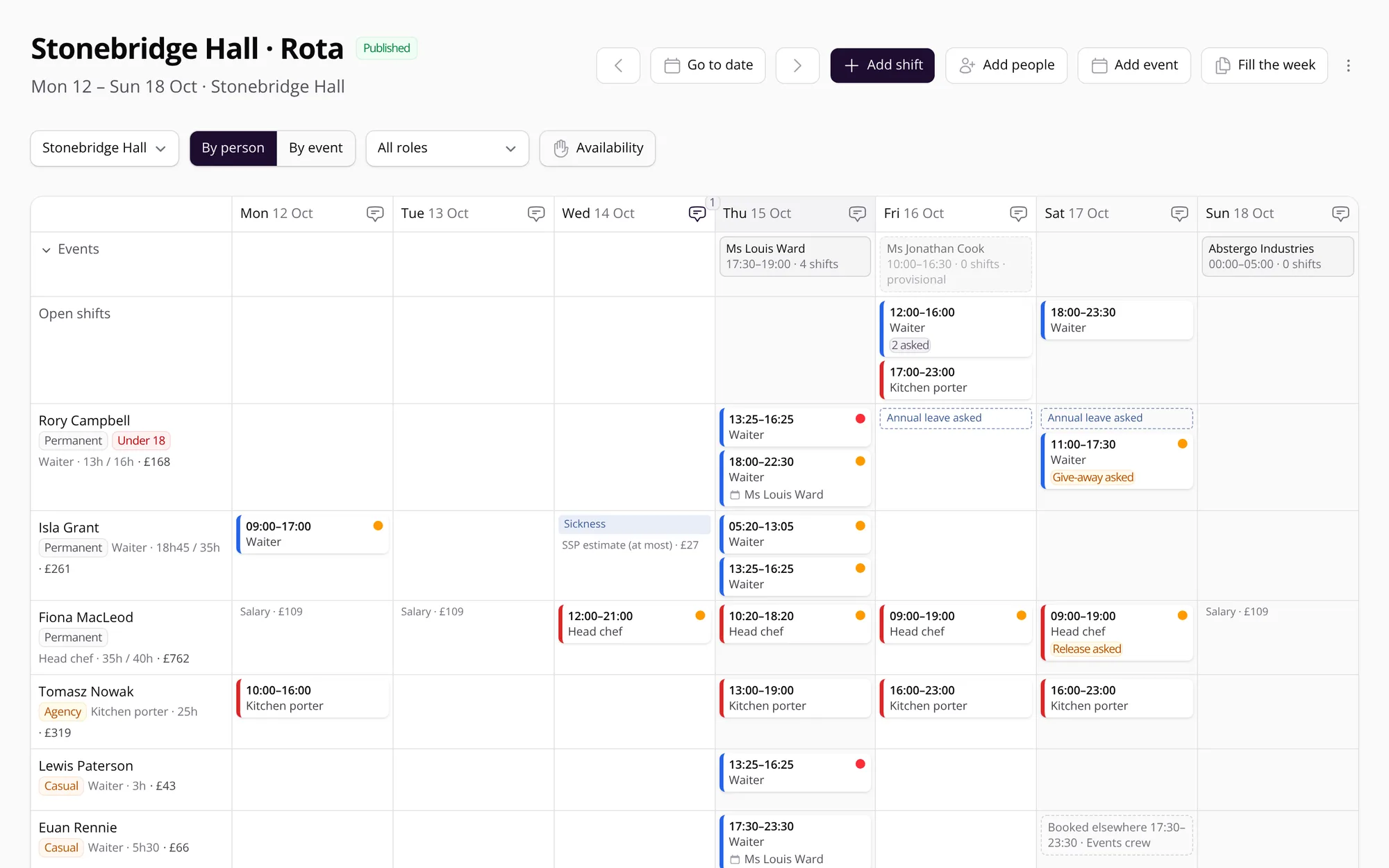
The week’s events sit above the grid, with the crew each one needs. Add open shifts for any gap in the costing, copy last week or apply a template, and every shift is checked for working-time rules, right to work and double bookings as you save.
A staff app with no password
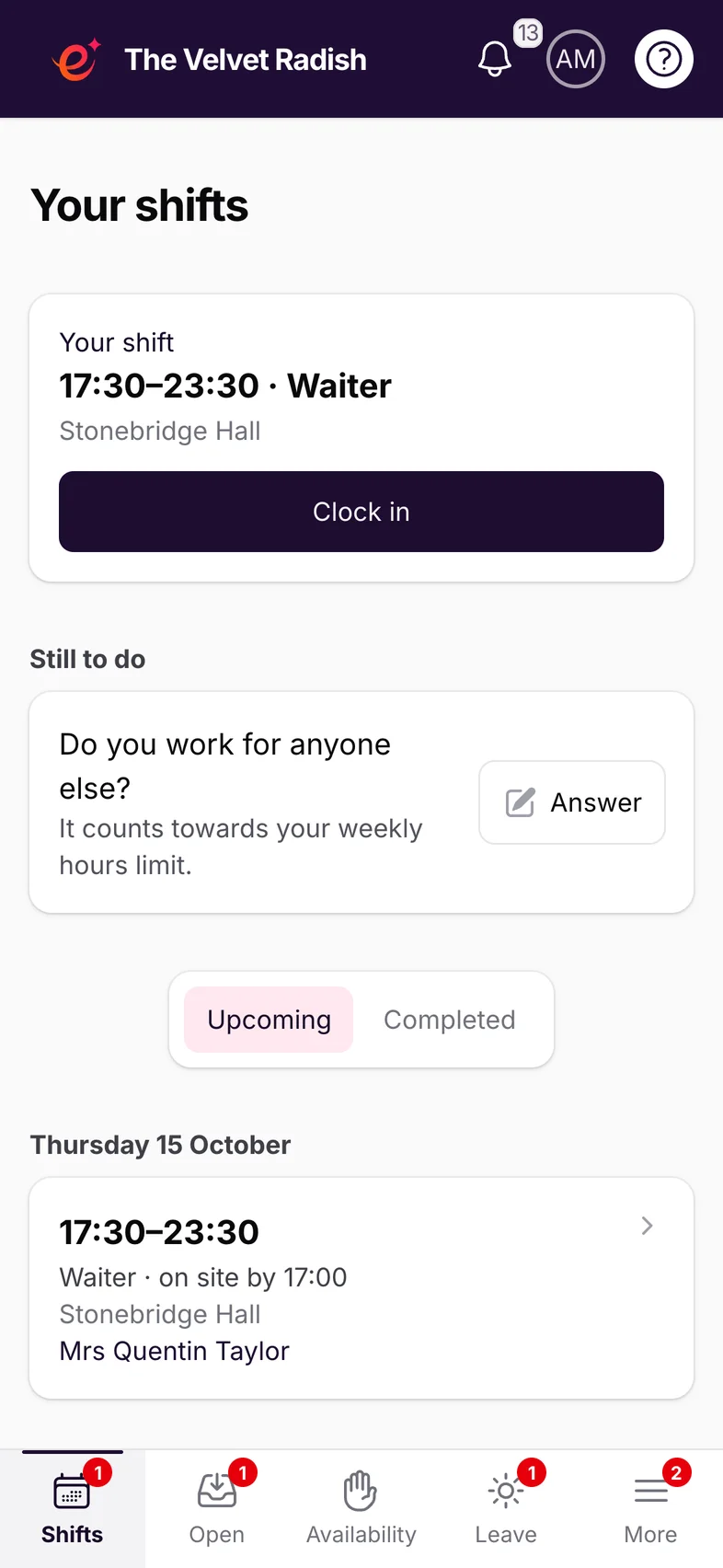
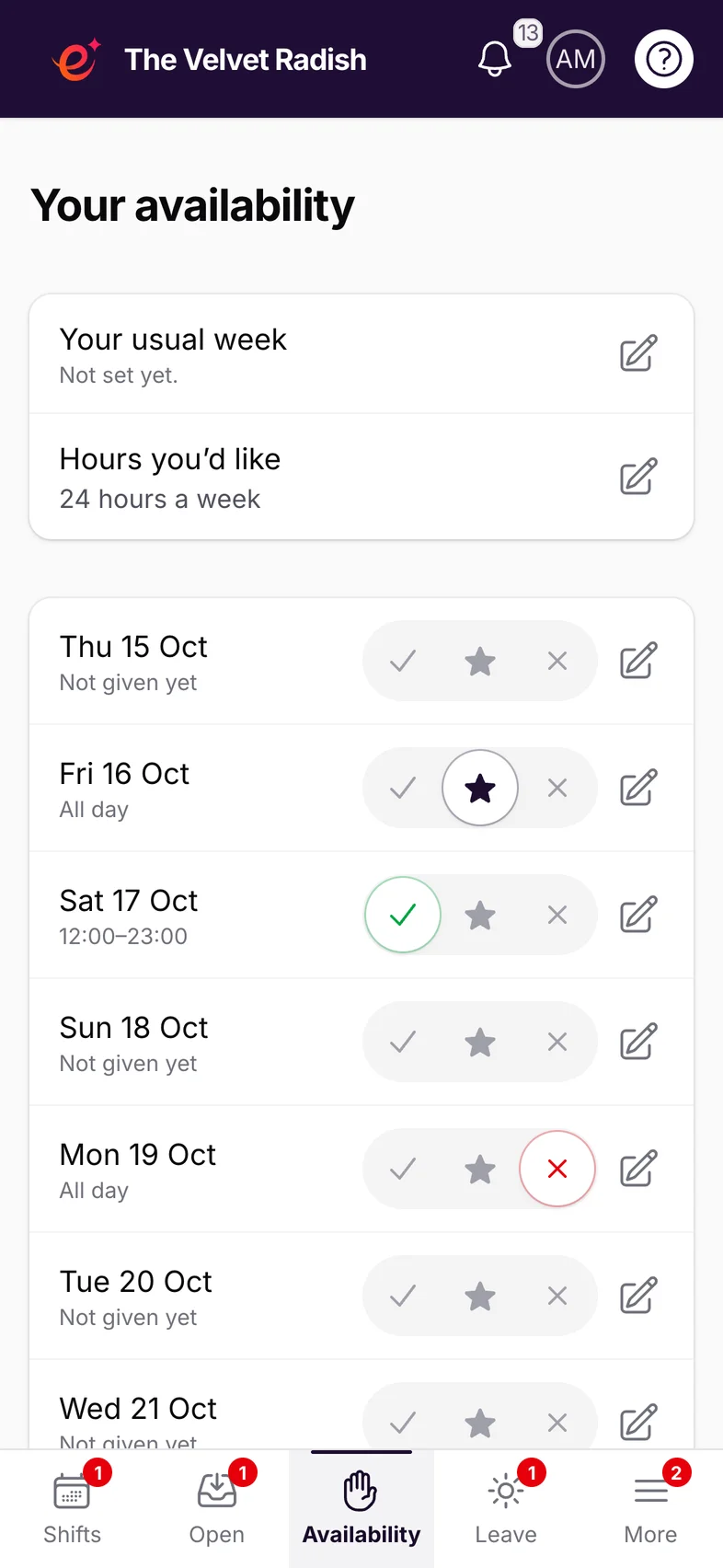
Staff sign in with a link sent by email. From their phone they see their shifts, pick up open shifts, swap, give their availability, clock in and out and book leave.
- People
- Staff records with contracts, pay rates, right to work, working-time opt-outs and hours worked elsewhere.
- Leave
- Requests and approvals, allowances and balances, bank holidays, sickness and time off in lieu.
- Clocking and timesheets
- Clocking in and out against the shift, a live board on the day, and timesheets approved and locked each pay period.
- Pay and reports
- Labour cost against budget, holiday pay, payroll and agency exports, tips, and a daily flash report.
Onboarding, policies and certificates without the paperwork
Every starter works through the same checklist before their first shift, and staff keep their own records up to date from the staff app.
- Onboarding checklists that tick themselves off as details, documents and policies come in.
- Staff photograph certificates and fit notes on their phone, and nothing counts until you accept it.
- Policies and handbooks published by version, with a record of who has read and acknowledged each one.
- Reminders before certificates and right-to-work permissions run out, and for probation reviews and appraisals.
- Roles that need a certificate, such as allergen awareness, warn on the rota or stop a clock-in without it.
- Right-to-work checks recorded with their evidence, and nobody rostered without one.
Ask about your events in plain English
Use the assistant built into Event Wizard, or connect the one your team already uses. Either way, the answers come from your own events, contacts, tasks and invoices.
Copilot, inside Event Wizard
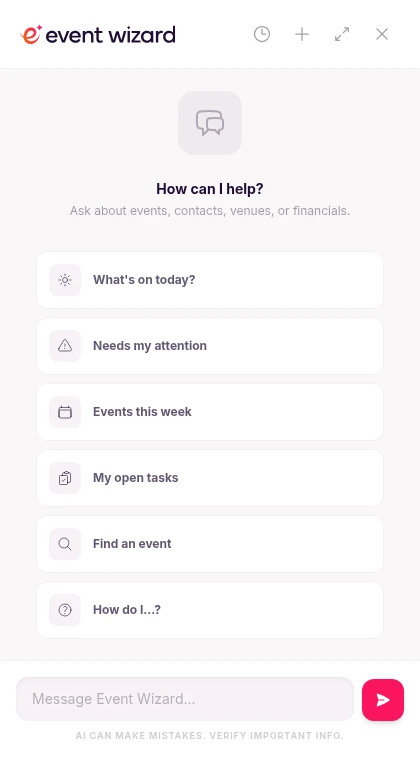
Ask questions about your events, contacts and tasks without leaving the page you are on. Past conversations are saved, so you can pick up where you left off.
Your own assistant, through MCP
Connect Claude, ChatGPT, Microsoft Copilot Studio, Gemini or Google AI Studio to the Event Wizard MCP server. Answers can come back as Event Wizard views right in the conversation, and your assistant adds tasks and notes only if you allow it.
What is on my list this week?
Here are your open tasks from Event Wizard:
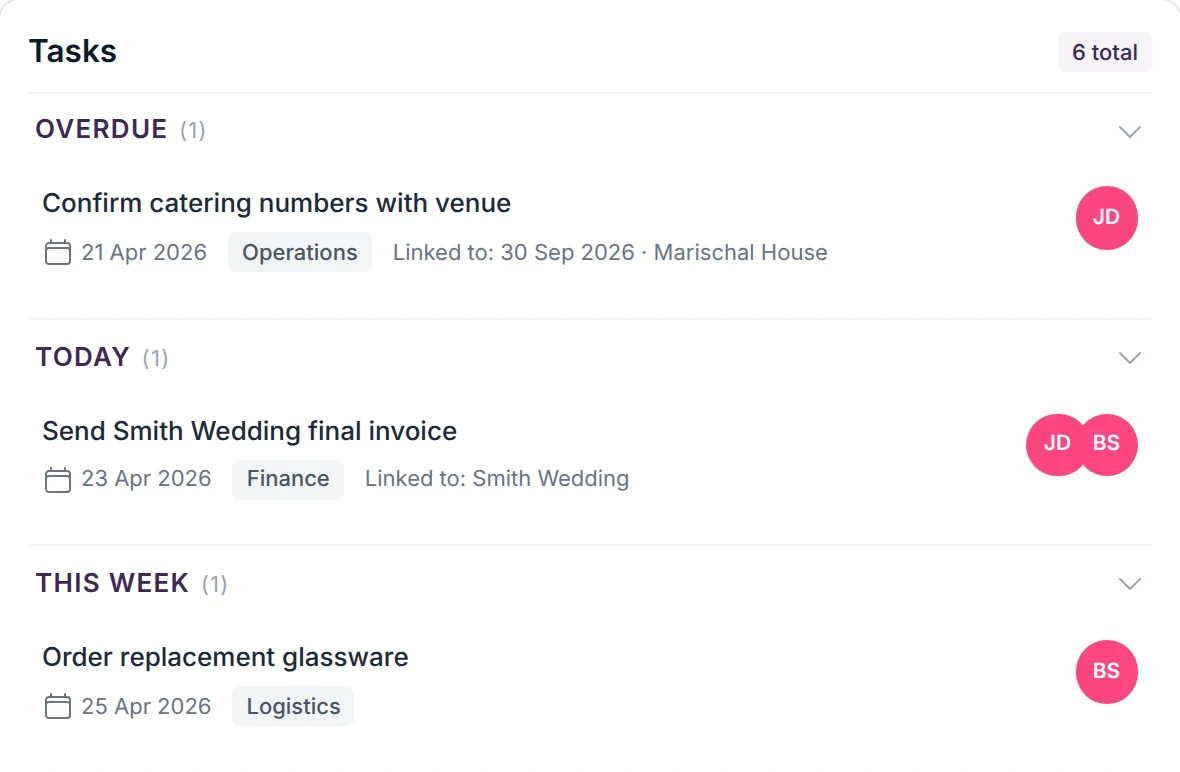
The overdue one is confirming catering numbers with Marischal House. Shall I add a note to that event?
AI is optional. Copilot and the MCP server are both off until your organisation turns them on. Assistants see only what the person who connected them can see, and you can revoke access at any time.
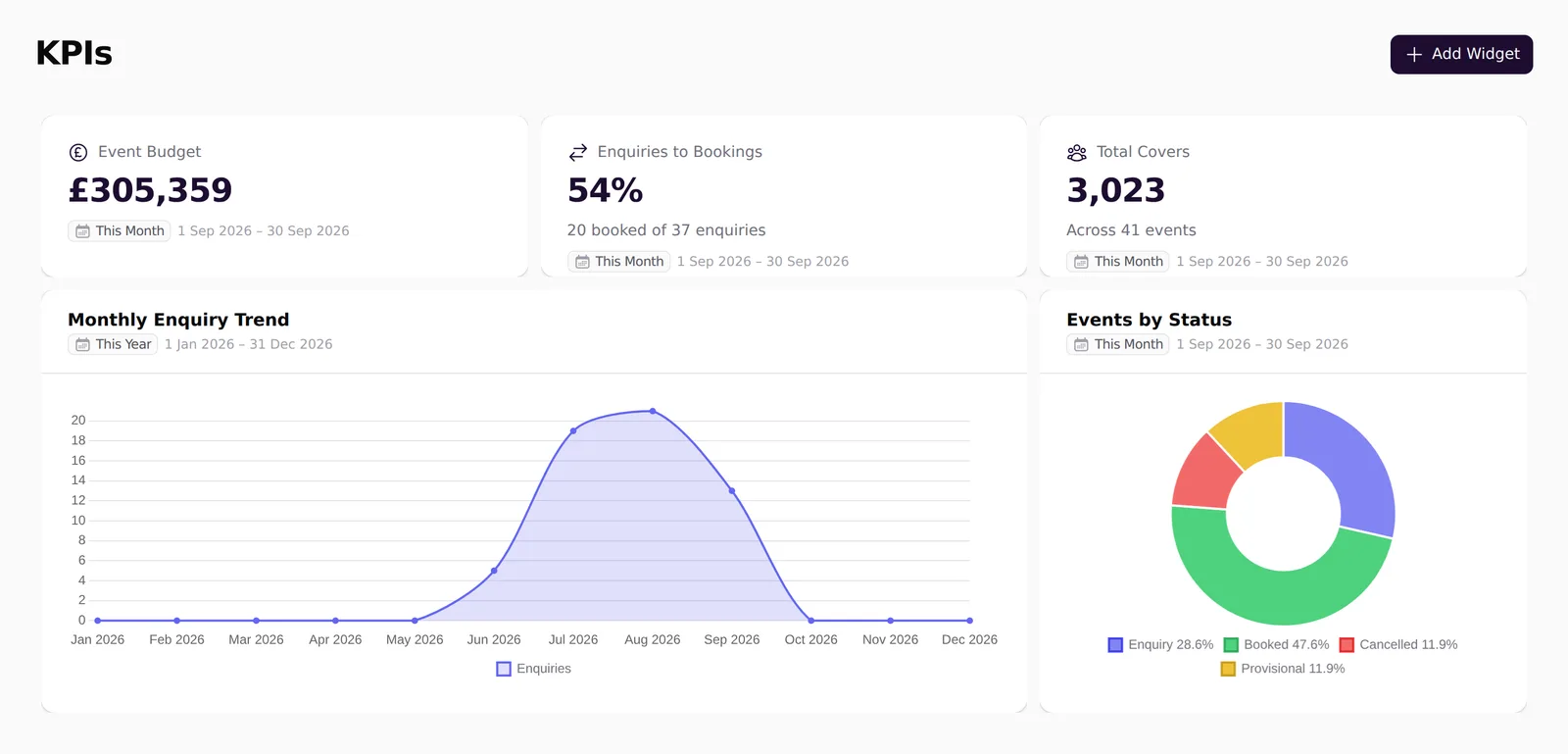
Every venue on one screen, not just every event
Owners and general managers see how each site is performing and where the coming months are heading, without asking anyone for a spreadsheet.
- Dashboards and reports
- 18 KPI widgets for revenue, budget, conversion and covers, filtered by date, region, venue or service. More than 11 reports, from venue forecasts to top dishes, emailed on a schedule.
- Room to grow
- Add users, venues and regions as you expand, and drill down from the whole portfolio to a single event.
- Access and security
- Ten roles with permissions scoped to regions and venues. Two-factor authentication, passkeys and a full audit trail.
- Connections
- An Outlook add-in for your inbox, a REST API for the rest of your tools, and email forwarding into the right event.
Built by hospitality experts, for hospitality experts
- Gillian Walker
- Ben Freeman
- Mark Miller
Founders, Hoolie Software
Between us we have more than 75 years in hospitality, event management and software. We have run the events, managed the venues and chased the details, so we know where the pressure falls.
Event Wizard is the tool we wanted then: one place for the whole operation, from the first enquiry to the final invoice, that fits the way catering and events teams actually work.
We build it alongside the people who use it every day. If something gets in the way of your team, we want to hear about it.
Tell us how your events run today
Send us a note about your venues and your team, and we will get back to you.